[Game Hacking] JumpKing - Patching .NET MonoGame
Since I like to play video games in my free time, I wondered why not to start hacking them for fun and profit (knowledge). In this quest for knowledge, the first step was to start with something easy. So I decided to go for a single player game, which would be simple to understand and easy to play (little user intervention). That’s why I chose JumpKing. As you can see in the following video, the game is quite easy to understand and play with (left, right & jump) but still requires a lot of time to finish as it has a lot of layers (levels) that evolve in complexity the more you advance, making the game still difficult to beat
Some l33t gameplay from the start of the game
An ordinary player would probably go into berserk mode (raging is fun, right?) and quit the game before even reaching the top; on the top is a princess which is stuck and that can only be rescued when you reach it (it’s the goal of the game to save her!). Before getting to that rage phase, I wanted to see if there was an easy way to finish the game without going through all that frustration.
First step (there are many other ways to achieve our goal!)
Where to start ? The first thing we need to know is in which technology the game was built to be able to reverse engineer it properly. To do this, we will go to the folder that contains the executable and the libraries of the game, which is found by default, when downloaded from Steam, in the following path.
Path: C:\Program Files (x86)\Steam\steamapps\common\Jump King
Once in the game folder, we can check if any famous library names are used, which is often the case when the game was developed using a framework (sometimes it is also necessary to look for other clues that would help us identify the technologies used). In this case we are lucky, because something stands out from the rest of the .DLLs (libraries) -> MonoGame.*
This is a good indication that the game was written using C# which is the same programming language used in the MonoGame Framework (some Googling is required to confirm this).
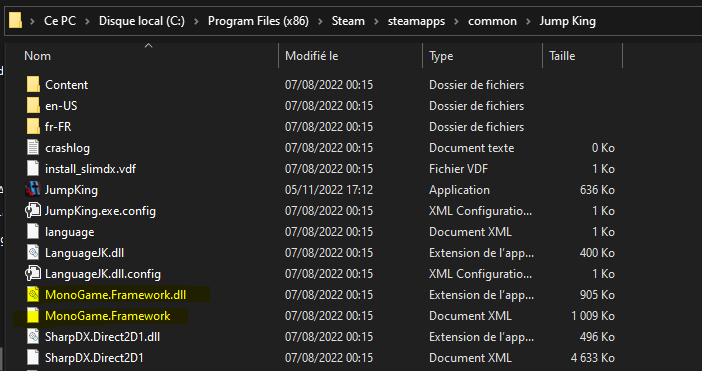
Why is it good news that the game was written in C#? Because it is possible for us to get the source code of the executable using tools such as dnSpy for Windows (there are other tools that are also compatible with other operating systems other than Windows, but that is beyond the scope of this article). It is now time for some code review.
Code Review using dnSpy
There are two different versions of dnSpy (x86 and x64). One of these versions is used to decompile 32-Bit executables and the other to decompile 64-Bit executables. We won’t go into the details of how to identify on which set of Bit the program (executable) is running. Some methods that can be used for this (e.g. in Windows) are: Task Manager > Details Tab, Executable properties > Compatibility tab, etc.
JumpKing is a 32-Bit program, which means that we will opt for the dnSpy-win32 version. After downloading and running it, we just need to drag the “JumpKing” executable that was in the game folder where we browsed earlier. When this is done, we will have something similar to the following.

As we can see on the left pane, there is the loaded executable and the classes that have been decompiled. It is now possible to simply browse the whole source code to patch (edit and recompile) the functions that are interesting for us to modify to help us reach the top. I decided to alter the physics of the game. This means that I first want to be able to disable the physics ; being able to go through the platforms. After turning off the physics, I want to be able to jump higher than normal, as this would allow us to simply speed up the game.
Patching Time !
his step requires time and several attempts (recompiling, launching the game, trying, etc.). After several hours, I found a hack that works, but it’s not quite elegant and can certainly be improved, but let’s go for it for now. First we will create a method to be able to enable/disable physics so that we can easily jump across the ground/platforms. For that, we need to find the code that is responsible for exactly that (searching and trying takes time ; don’t forget). The code in question can be found in the following class: JumpKing.Level.LevelScreen and even more precisely in the following method TryCollision:
// Token: 0x0600052A RID: 1322 RVA: 0x00013C80 File Offset: 0x00011E80
		public bool TryCollision(Rectangle p_hitbox, out Rectangle ret_overlap, out LevelScreen.CollisionInfo info)
		{
			info = default(LevelScreen.CollisionInfo);
			info.slope = SlopeType.None;
			info.ice = false;
			info.wind = this.WindEndabled;
			bool flag = false;
			ret_overlap = default(Rectangle);
			int num = -1;
			IBlock block = null;
			IBlock block2 = null;
			foreach (IBlock block3 in this.m_hitboxes)
			{
				Rectangle rectangle;
				if (block3.Intersects(p_hitbox, out rectangle))
				{
					if (block3 is NoWindBlock)
					{
						info.wind = false;
					}
                         //[...]
                         //REDUCTED FOR READABILITY
                         //[...]

				}
				IL_191:;
			}
			SlopeBlock slopeBlock2 = block2 as SlopeBlock;
			if (block != null && block2 != null && block.GetRect().Y <= block2.GetRect().Y && (slopeBlock2.GetSlopeType() == SlopeType.TopLeft || slopeBlock2.GetSlopeType() == SlopeType.TopRight))
			{
				info.slope = SlopeType.None;
			}
			return flag;
		}
The important part of this function is that if it returns “false”, we can make the game think we are not in a collision, thus bypassing any platform. The game would think we are some kind of ghost. I decided to simply add a piece of code that, when the “X” key is pressed, always returns false. Keep in mind that since this method is in a tick method (update) that is executed every X ms, we have to keep pressing the “X” key for this to work (there are more elegant ways to do this, but hey, it works!!!). So edit the code directly in dnSpy by right clicking on the function and select “edit this method”.
First, add the library to get the user’s input as follows:
using Microsoft.Xna.Framework.Input;
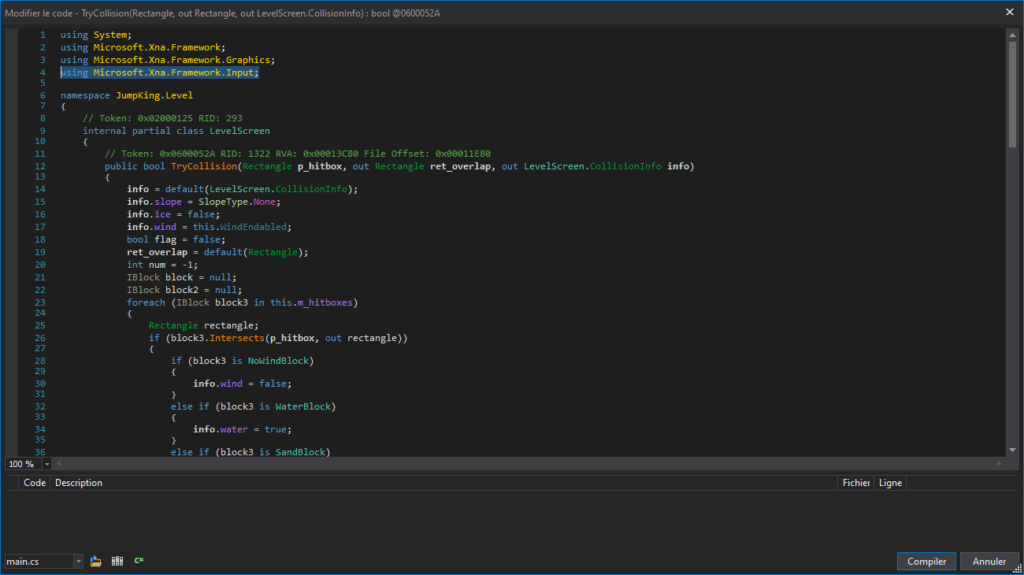
We can then add some logic that when the user presses the “X” Key, the physics is disabled by always returning false in that method.
KeyboardState keyboardState = Keyboard.GetState();
if (keyboardState.IsKeyDown(Keys.X)){
	return false;
}
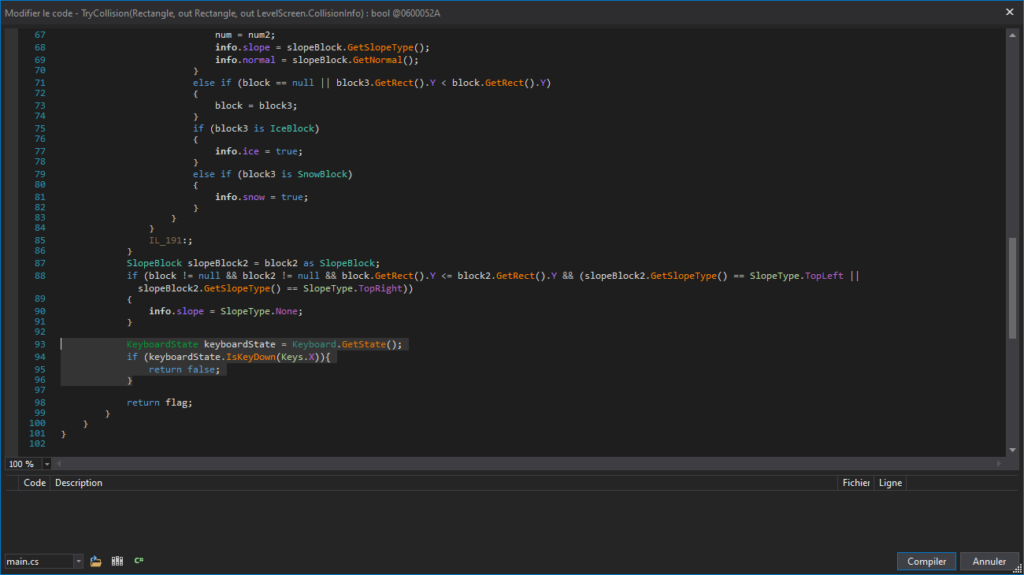
Once this is done, we can simply recompile the code and save the executable again. I forgot to add that before doing such manipulations, it is always good to have a backup because it is easy to mess up the application! Here we are only doing small manipulations but it can get very big quite quickly, so having the original binary to start over is always a good plan.

So let’s rerun the newly patched game and try to see how our little hack works. As we can see in the video below, we are able to traverse the platforms using the “X” key.
As you can see, it worked! But be careful, if you use the hack in the starting zone, you’ll have to restart the game because there’s nothing down there for you to help you climb back up. Now that we’ve done the “no-physics” hack, it’s time to jump higher than normal!
Again, remember that finding the code responsible for an action can take a lot of time and effort. This is an important lesson because most blog posts only show the results (as I do at the end ahah but it is important to remind you that it takes time).
The code responsible for the jump is located at: JumpKing.Player.JumpState and more precisely in the following function DoJump:
// Token: 0x06000221 RID: 545 RVA: 0x00009360 File Offset: 0x00007560
		private void DoJump(float p_intensity)
		{
			int x = base.input.GetState().dpad.X;
			if (x == 0)
			{
				for (int i = 0; i < this.m_left_right_input_buffer.ValidCount; i++)
				{
					if (this.m_left_right_input_buffer.GetItem(i).dpad.X != 0)
					{
						x = this.m_left_right_input_buffer.GetItem(i).dpad.X;
						break;
					}
				}
			}
			if (base.body.IsOnSnow && p_intensity < 0.3f)
			{
				if (p_intensity <= 0.2f)
				{
					return;
				}
				p_intensity = 0.3f;
			}
			float jump_STRENGTH = this.JUMP_STRENGTH;
			base.body.velocity.Y = this.JUMP_STRENGTH * p_intensity;
			BodyComp body = base.body;
			body.velocity.X = body.velocity.X + (float)x * PlayerValues.SPEED;
			base.body.velocity.X = ErikMath.Clamp<float>(base.body.velocity.X, -PlayerValues.SPEED, PlayerValues.SPEED);
			base.player.SetDirection(x);
			this.Reset();
			if (base.body.IsInWater)
			{
				JKContentManager.Audio.Player.WaterJump.PlayOneShot();
			}
			else if (base.body.IsOnIce)
			{
				JKContentManager.Audio.Player.IceJump.PlayOneShot();
			}
			else if (base.body.IsOnSnow)
			{
				JKContentManager.Audio.Player.SnowJump.PlayOneShot();
			}
			else
			{
				JKContentManager.Audio.Player.Jump.PlayOneShot();
			}
			Rectangle hitbox = base.GetComponent<BodyComp>().GetHitbox();
			if (base.body.IsInWater)
			{
				JumpParticleEntity.CreateWaterParticle(hitbox.Center.X, hitbox.Bottom);
			}
			else
			{
				JumpParticleEntity.CreateParticle(hitbox.Center.X, hitbox.Bottom);
			}
			if (PlayerEntity.OnJumpCall != null)
			{
				PlayerEntity.OnJumpCall();
			}
		}
The important line is the following one. As you can see from the variable names, it is responsible for changing the velocity of the Y-axis (in a 2D game, this would be up/down).
base.body.velocity.Y = this.JUMP_STRENGTH * p_intensity;
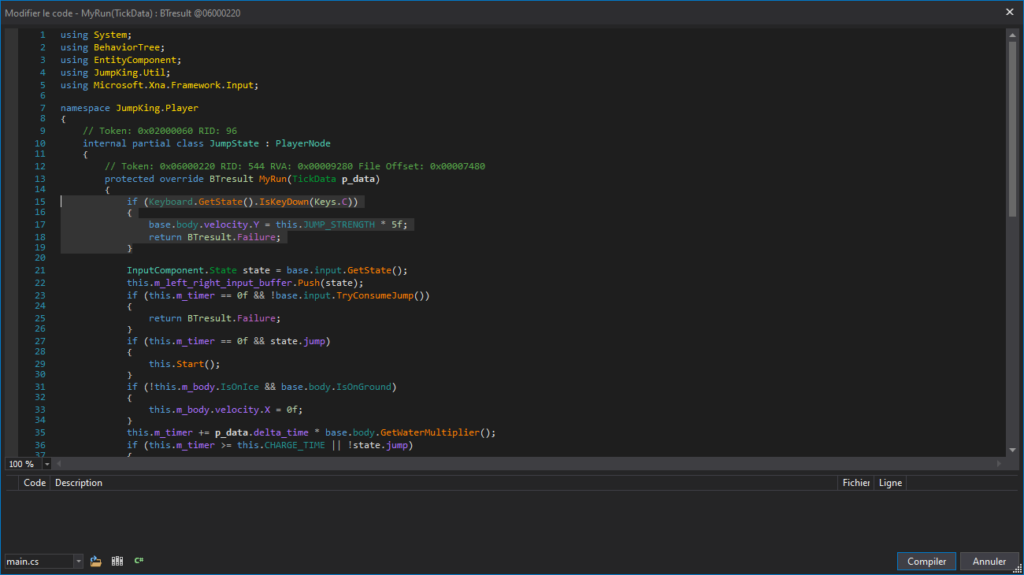
The p_intensity variable is 0.3f at the most (that’s why the jumps are not so high). But instead of modifying this variable directly with a constant, we will create another method that will create a much higher jump so that it is cleaner and allows us to play normally too if we want to. This is done by modifying (in the same class) the function just above which is: MyRun.
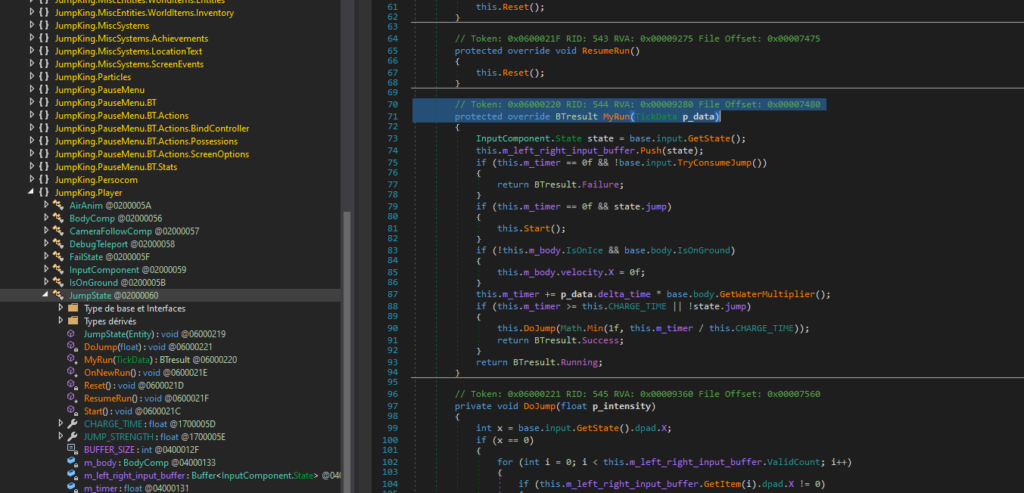
Let’s modify the method by adding the following code (don’t forget the input library; identical to the previous method we modified):
if (Keyboard.GetState().IsKeyDown(Keys.C))
{
	base.body.velocity.Y = this.JUMP_STRENGTH * 5f;
	return BTresult.Failure;
}
Let’s save everything again and recompile the binary with our newly added jump method and see if it worked !
As you can see, we are now able to simply go through everything by using our high jump (“C” Key) and physics/collisions removal (“X” Key). Of course, this is not optimal but it allows us to simply skip some levels and be able to play normally if we want to! It’s time to meet our princess at the top, right?
NB: We were lucky that the game was written in C# and no protection was in place, which made our task much easier! Next time I’ll try to go further into the real world by using a more popular online game like Counter-Strike where we could “hook” functions, etc. as patching is not always possible (most of the time).
NB2: There was also an interesting class called: JumpKing.Player.DebugTeleport which looks like a class/method used by devs to test their game without having to redo all the levels (this happened for example in the game “Fall Guys” where hacks were implemented in the game at launch). I personally didn’t dig much into it but it could also be a fun option to have a teleport.